
Planning
How Much Does an Aqara Smart Home Cost in Singapore?
Estimate Aqara smart home hardware costs in Singapore using current local prices, example scopes and separate installation and app-configuration allowances.
There's no single price for an Aqara smart home. The total depends on how many light circuits, sensors, doors, windows and cameras you want to control, plus the work to install them and the time it takes to set everything up in the app.
The figures below use our published prices, checked on 26 September 2026. They're examples to help you plan, not quotations, and prices and product variants can change.
On this page
- Hardware, installation and app setup are three separate costs
- Aqara Singapore prices for typical products
- A starter setup for about S$200
- A typical HDB flat: about S$1,700–S$2,600 in hardware
- Bigger flats and condominiums: S$3,000–S$6,000 before labour
- Why smart lighting changes the sums
- Installation cost depends on your home, not the app
- App setup: do it yourself, get help or have it done
- Building your budget room by room
Hardware, installation and app setup are three separate costs
Hardware is what you pay for the hubs, switches, sensors, lights, locks, cameras and motors. Installation is the physical work: electrical work, door or gate work, curtain tracks, blind fittings, drilling, cabling and making good afterwards. App setup covers pairing, firmware, naming, household access, scenes, automations, links to other platforms and walking you through the finished system.
These costs don't rise together. Ten battery sensors take little physical work but a fair amount of naming and automation time. One mortise lock or a long motorised curtain track can take a lot of physical work, yet it's a single device in the app.
So don't estimate installation as a percentage of the hardware price. List what goes in each room, count the actual devices, and get each trade and the app setup quoted separately.
Aqara Singapore prices for typical products
The table uses current public local prices for typical products. Where there's a range, it usually reflects the number of gangs, neutral or no-neutral versions, colour, connection type or an installation kit. Don't assume you can swap in the cheapest version without checking your circuit or door.
Enquiry-only products and custom track or blind work aren't given a made-up price here. Where the product, fabrication and installation can't be separated, ask for a quotation based on your scope.
Browse the current Aqara catalogue
| Category | Typical current products | Price used for planning |
|---|---|---|
| Hubs | M100 / M200 / M3 | S$89 / S$149 / S$289 |
| Wall switches | D1 / H1 / Z1 Pro | S$48–69 / S$55–89 / S$70–99 per position |
| Presence sensors | FP1E / FP300 / FP2 | S$79 / S$99 / S$139 |
| Locks | U200 Lite / A100 / D200i | S$259 lock only / S$699 incl. standard installation / S$999 lock only or S$1,199 incl. standard installation |
| Video doorbells | G400 / G410 | S$249 / S$309 |
| Curtain and blind devices | Roller Shade Driver E1 / Curtain Driver E1 / C3 | S$100 / S$140–150 / S$369 before track or curtain work |
| Cameras | G100 through G5 Pro | About S$89–469 depending on model and variant |
A starter setup for about S$200
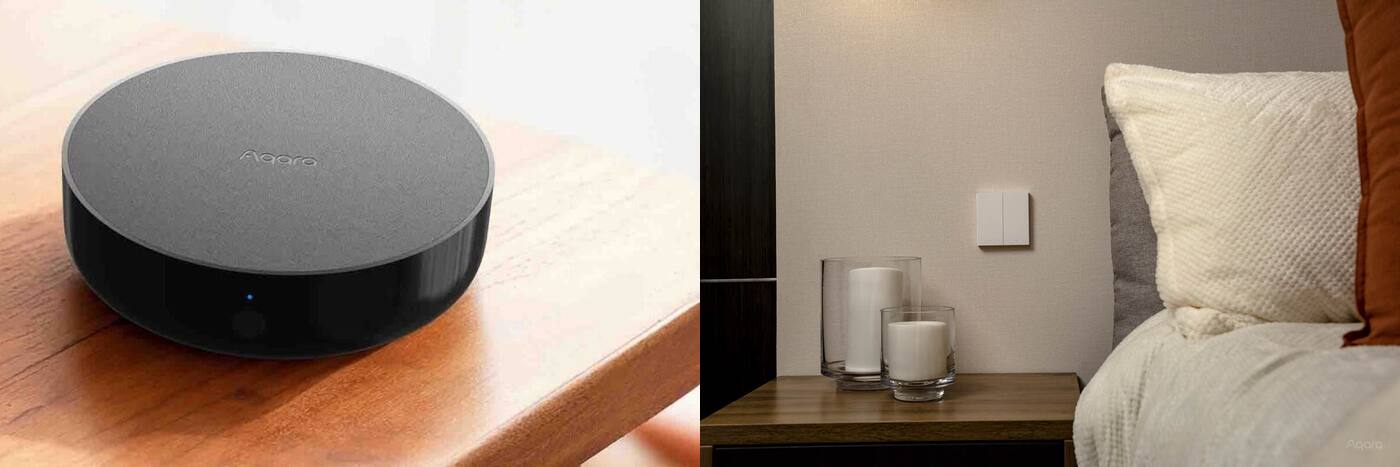
One simple example is an M100 hub at S$89, Motion Sensor P1 at S$39, Door and Window Sensor from S$28 and an LED Bulb T2 from S$45, which comes to S$201 at the 26 September 2026 prices. That's enough for a useful first automation without touching your fixed wiring.
Think of it as a way to learn, not a whole-home price. It lets you try the app, the hub position, Zigbee coverage and your household platform before you commit to lots of switches or curtain work. A starter built around a camera hub or presence sensor costs more, but it may cover something else you need at the same time.
If you set up the app yourself, plug-in and stick-on devices cost next to nothing to install. Any fixed electrical or building work is extra.
A typical HDB flat: about S$1,700–S$2,600 in hardware
A typical core setup might be one M200 hub, six to ten D1 or H1 wall switches, four to six door, motion, climate or presence sensors, an A100 lock, a G410 doorbell and one or two curtain or blind devices. At the 26 September 2026 prices, that usually lands in this range, before installation for anything whose price doesn't already include it. With the cheapest version of each (six D1 switches at S$48, four sensors at S$28 and one Roller Shade Driver E1), it comes to S$1,657. A G400 instead of the G410 takes S$60 off, if you can run PoE or low-voltage wiring to the door. The A100's price includes standard professional installation on a compatible door.
The range is wide because gangs and neutral options change what each switch costs, centre-opening curtains may need two drivers, and lock kits can include different gate or installation parts. Smart lighting can also turn one ordinary switched circuit into several separately controlled lights.
Don't spread the budget evenly across every room. Spend it on the living area, the entrance and the bedrooms you use most, where it changes what you do every day, and add devices elsewhere only when they have a clear job.
Compare Aqara smart switches Choose an Aqara smart lock Shop Aqara smart switches
Bigger flats and condominiums: S$3,000–S$6,000 before labour
A larger home might have twice as many switches, a second hub, several cameras, more motorised windows and a second lock for another entrance or gate. Premium panels, adjustable smart lights and the D200i or multi-part lock kits push the total up much faster than small battery sensors.
For example, at the 26 September 2026 prices, sixteen H1 switches alone come to about S$880–S$1,424. Two C3 curtain controllers add S$738 before track work. A D200i adds S$999 for the lock only, or S$1,199 with standard professional installation on a compatible door. Three cameras add roughly S$267–S$1,407 depending on the model. Those alone account for most of the range, before the smaller sensors and controls.
Homes on more than one floor also need thought about hub positions, the network and wireless coverage. A second hub costs little compared with fixing cabling later or living with an unreliable system, but add one because you need the coverage or its features, not as a fixed share of the budget.
Why smart lighting changes the sums
With switches, you count wall positions. With smart lights, you count every light, driver, strip and track module you control. One room can have ten or more separately controlled lighting products and still only two switches on the wall.
Those extra devices get you dimming light by light, colour-temperature control, groups and scenes. They also take more design time, because beam angle, cut-out size, driver access, circuit isolation and how people will switch the lights by hand all need deciding alongside the smart features.
Budget from a list of the lights, not a sum per room: fitting type, quantity, wattage, beam, colour-temperature range, which group each belongs to and which scenes use it. Keep enquiry-only products in a quoted project scope rather than guessing a retail price for them.
Smart switches vs smart lights Explore Aqara smart lighting Shop Aqara smart lighting
Installation cost depends on your home, not the app
Swapping a compatible switch in an easy-to-reach wall box is a different job from adding a neutral wire, deepening the box or replacing an unsuitable LED driver. Fitting a retrofit lock to a compatible cylinder is different from cutting a new mortise or working on a gate and door together. A Curtain Driver E1 is a different job from a custom motorised track in a new pelmet.
Ask for installation to be quoted as a defined job: how many of what, what's there now, what making good is excluded and who supplies accessories. Photos help at the estimate stage, but doors, wall boxes and curtain tracks may still need someone to see them in person.
Licensed electrical work and building changes should be quoted by the trade responsible for them. Paying for app setup doesn't mean that work is included.
App setup: do it yourself, get help or have it done
Aqara products are configurable by an average owner. You can pair a small kit, name your rooms and build a few automations without a proprietary programming licence or a compulsory maintenance contract, unlike older systems that needed a specialist for nearly every change.
Paying for setup makes sense when the system covers many rooms, needs consistent naming, links to other platforms, gives several people access and needs proper testing and a walkthrough. You're paying for time, consistency and troubleshooting; the app is the same one you'd use yourself.
Treat the first setup and later changes separately. Your own account should own the home, and you should be shown how to change schedules, household members and simple automations without calling the installer.
DIY vs professional Aqara app setup
Building your budget room by room
Make one line per room and count the light circuits, smart lights, sensors, curtains, cameras and doors. Add the hub and any network equipment. Then mark which items you'll fit yourself, which need an electrician, door specialist or curtain supplier, and which automations you want set up professionally.
Set aside a contingency for quantities that change and existing wiring or doors that turn out to be unsuitable, rather than a vague allowance for premium devices. The biggest swings usually come from repeated switches and lights, door hardware, custom tracks and building access.
Ask for the final quotation to list hardware, installation, app setup and exclusions separately. That makes competing quotes easier to compare and later phases easier to plan.
Keep three separate budget lines
Hardware
- Live price for the exact version you need
- Quantities counted room by room
- No guessed prices for custom or enquiry-only items
Physical work
- Electrical, door, curtain, blind and cabling work
- What's assumed about existing conditions, and what's excluded
- Who handles access, fabrication and making good
App setup
- Pairing, naming, scenes and automations
- Links to other platforms and household access
- Testing, notes and a walkthrough for you
The cheapest basket of hardware can turn into the most expensive project if it ignores wiring, door fit or curtain fabrication.
Official references
Product and standards information was checked against these primary sources. The article above is original Aqara Singapore editorial content.
From estimate to quote
Price the rooms and conditions in your actual home.
Start with the planning page, or send us a floor plan and your priorities to talk through an Aqara project.